
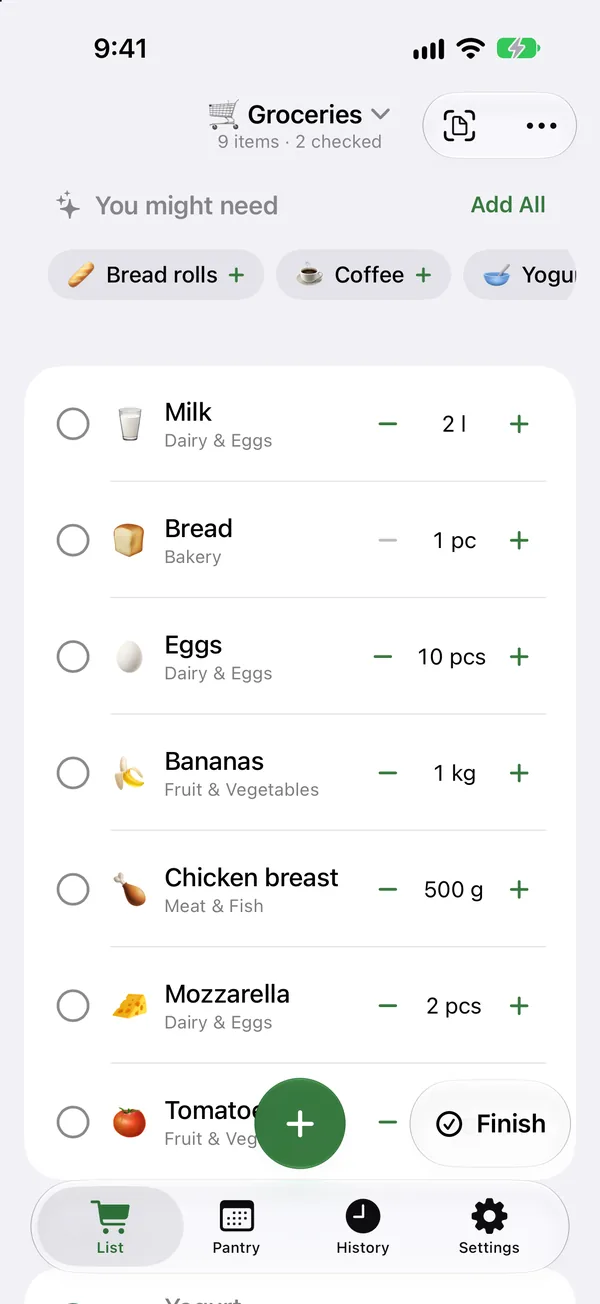
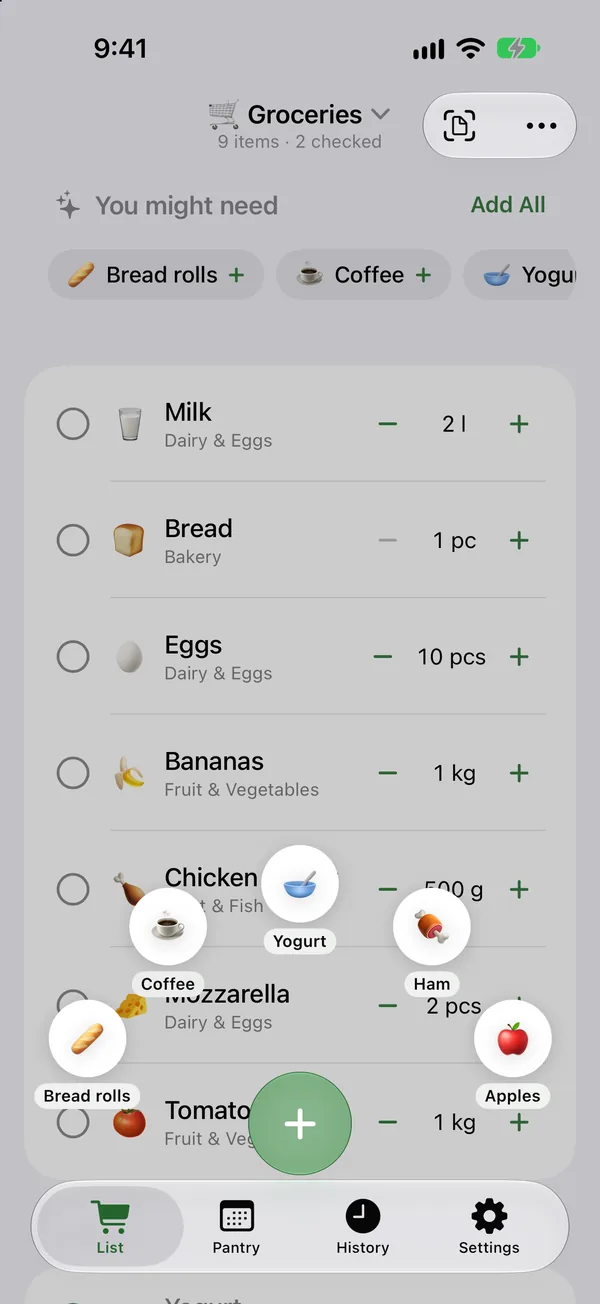
You buy most things again and again: milk, bread, coffee, bread rolls. So Shoppie doesn't wait for you to remember them. It learns from your finished shopping trips what you buy and how often, and helps you in two ways – suggestions and the favourites wheel.
Suggestions: what you're running low on
When it's about time you usually buy something, Shoppie shows it at the top of your list under “You might need”. There's nothing to set up – just shop as usual and finish each trip. After a few trips, suggestions start to appear on their own.
- Tap + next to an item to add just that one.
- Tap Add All to add every suggestion at once.
The guide How Shoppie suggests what you're running out of explains it in detail.
Favourites wheel: add in one move
For the things you buy most often, there's no need to type. Touch and hold the green + button to open the favourites wheel, and add an item without touching the keyboard.
How it works
- Instead of tapping, touch and hold the green + button. A wheel of bubbles appears around it.
- Without lifting your finger, slide to an item bubble, for example bread rolls.
- Let go. The item is on your list straight away.
For screenshots, see How to add items fast with the favourites wheel.
Choose what the wheel offers
In Settings → List → Quick add wheel, pick what the wheel shows:
- Suggested – what Shoppie currently recommends.
- Recently bought – what you bought last.
- Most frequent – the things you buy most.
The wheel appears after your first finished trip, because it learns from your History.
Suggestions, the wheel or regular items?
All three save you typing, but each suits a different situation:
- Suggestions – when you don't want to forget anything and are happy to let Shoppie guess what is running low.
- Favourites wheel – when you know what you want and need to add it as fast as possible, even in the shop.
- Regular items – when you buy something on the same day every time, say every Friday. They add themselves to your list on the day you choose.
It learns on your iPhone
Suggestions and the wheel are worked out on your iPhone. Your shopping is never sent anywhere, Shoppie has no server and collects nothing about you. The more trips you finish, the better the suggestions get.