
How to add items fast with the favourites wheel
-
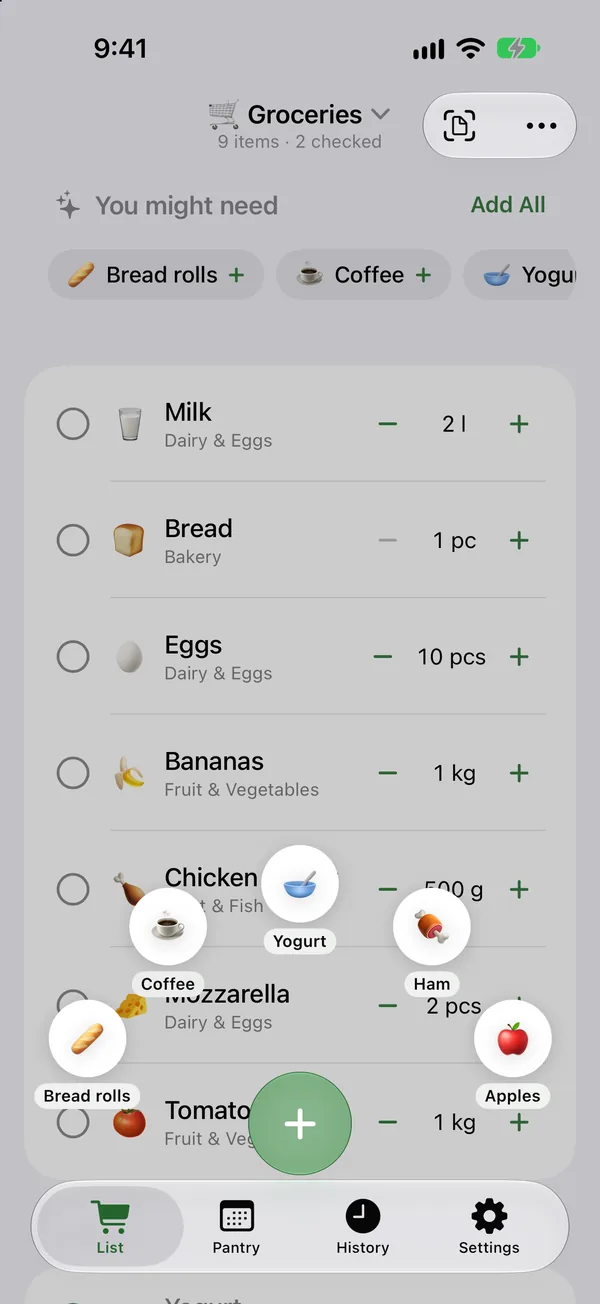
Step 1 Touch and hold +
Instead of tapping, touch and hold the green + button. A wheel of bubbles appears around it.
-
Step 2 Slide and let go
Without lifting your finger, slide to an item bubble, for example bread rolls, and let go. The item is added straight away.
-
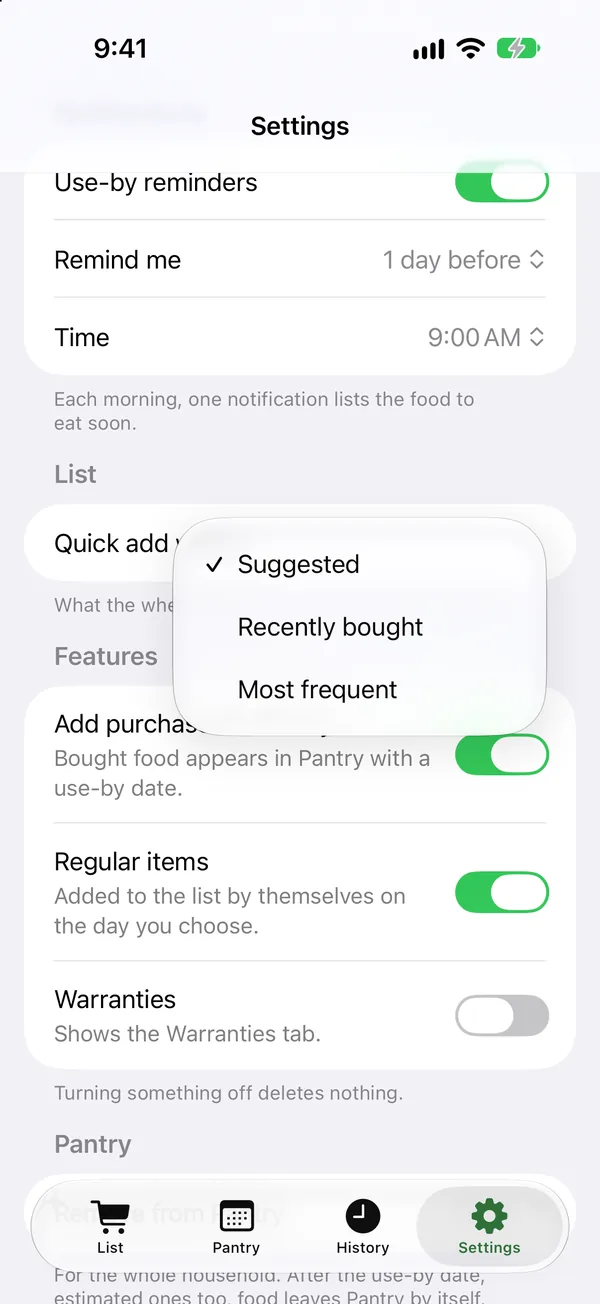
Step 3 Choose what the wheel offers
In Settings → List → Quick add wheel, choose Suggested, Recently bought or Most frequent.
Frequently asked questions
Why don’t I see the wheel?
The wheel learns from your shopping, so it appears once there’s at least one finished trip in History.
More questions are answered on the Support page.