
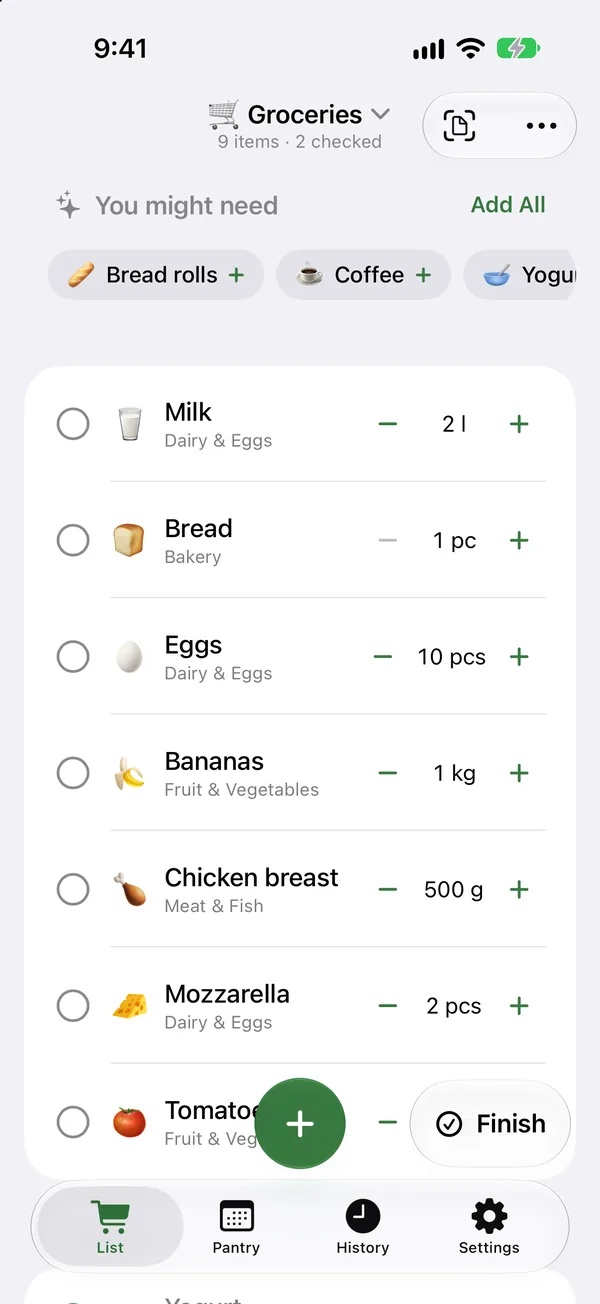
A shopping list should be quicker than a note on the fridge. That is why we built Shoppie so you can start straight away: nothing to set up, no sign-up and no ads. When you open it, you land on the List tab with the default Groceries list.
What the Shoppie shopping list does
- Quick add – type a name and the item is on your list.
- Automatic categories – Shoppie knows about 540 everyday products and sorts them for you, so your list is neatly grouped by category.
- Quantities and units – pcs, pack, kg, g, l or ml.
- Multiple lists – for example a separate list for the drugstore or for Christmas.
- Favourites wheel – touch and hold + to add frequent items in one move.
How it works
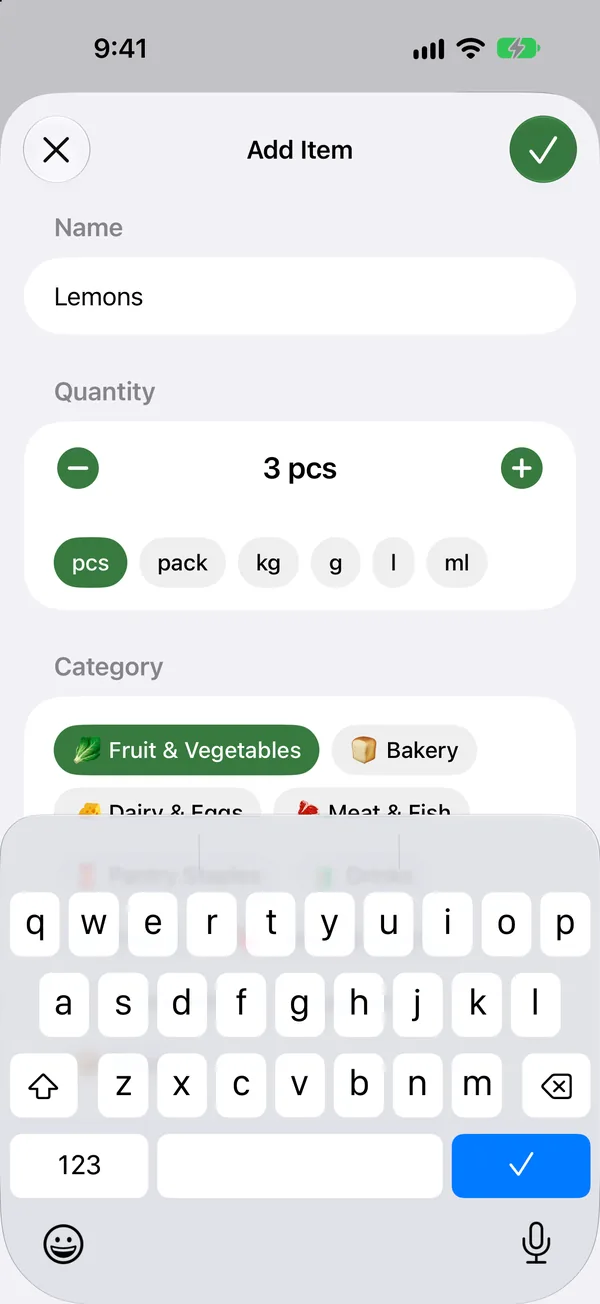
- Tap the green + button at the bottom. The Add Item sheet opens.
- In Name, type what you need, for example lemons.
- Set the quantity with the − and + buttons and pick a unit.
- Tap the green ✓. Shoppie fills in the category.
- In the shop, tap the circle next to an item and it moves to In Cart.
For a step-by-step version with screenshots, see How to make a shopping list on iPhone.
A list for every occasion
Not everything comes from the same shop. Tap the list name at the top, choose New List, then give it a name and an icon. Tap the name again to switch lists, and use Manage Lists to rename, reorder or delete them. The guide How to have more than one shopping list walks you through it.
A list that learns from you
When you finish a shopping trip, it is saved to History. From finished trips, Shoppie learns what you buy and how often. It then suggests at the top of your list what you are probably running low on, and the favourites wheel offers the things you buy most. If you want your family to see the list too, share it through iCloud in a shared household.
Free, ad-free and no sign-up
Shoppie runs on iPhone with iOS 26 or later and comes in English, Slovak and Czech. There are no ads, you do not need an account and nothing about you is collected. Your lists live on your iPhone and in your private iCloud, not on our server – we do not have one.