
How to make a shopping list on iPhone
-
Step 1 Open your shopping list
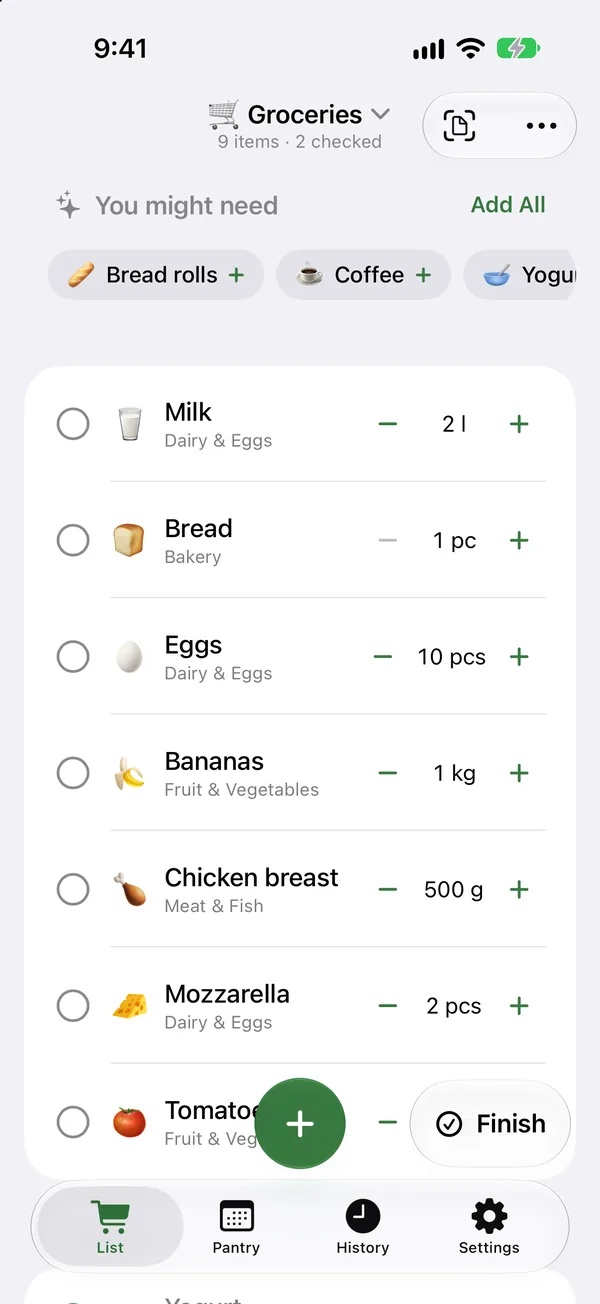
When you open Shoppie, you start on the List tab with the default Groceries list. Nothing to set up and no sign-up.
-
Step 2 Tap +
Tap the green + button at the bottom. The Add Item sheet opens.
-
Step 3 Type the name and quantity
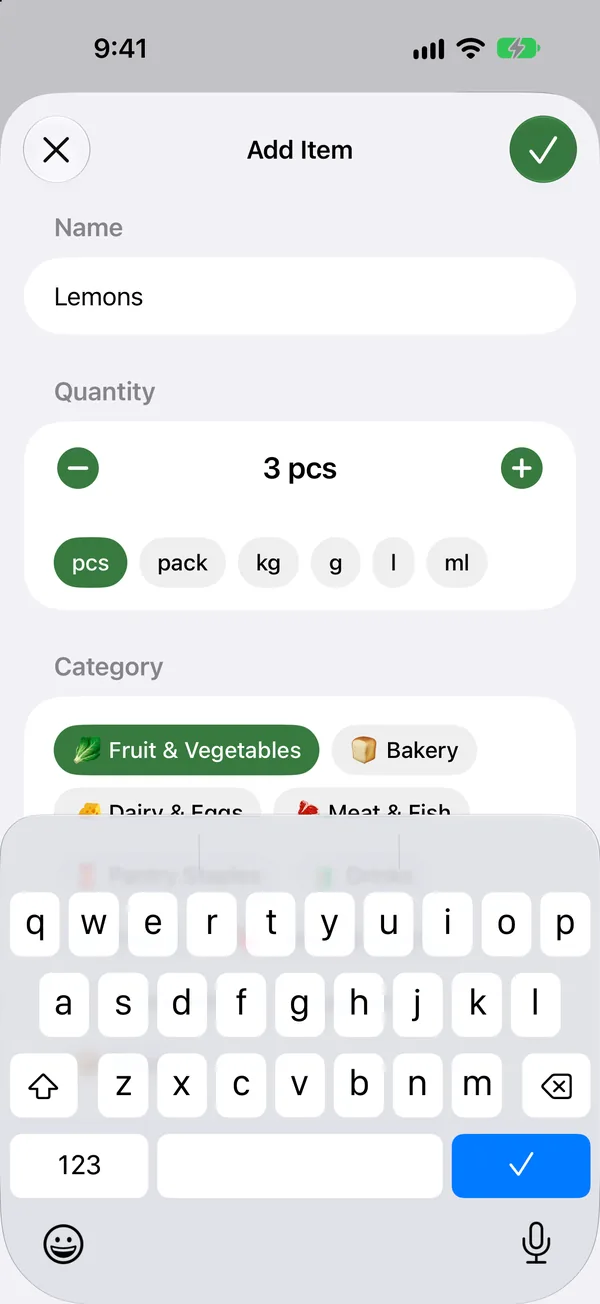
In Name, type what you need, for example lemons. Set the quantity with the green − and + buttons and pick a unit (pcs, pack, kg, g, l, ml). For common products, Shoppie fills in the category for you.
-
Step 4 Confirm
Tap the green ✓ at the top right, or press Return on the keyboard. The item is on your list.
-
Step 5 Tick items off in the shop
When something is in your basket, tap the circle next to it. It moves to In Cart.
Frequently asked questions
Is Shoppie free?
Yes. Shoppie is free, with no ads and no sign-up. It works on iPhone with iOS 26 or later.
Do I need an account?
No. Shoppie doesn’t need an account. Your data stays on your iPhone and in your private iCloud.
More questions are answered on the Support page.