
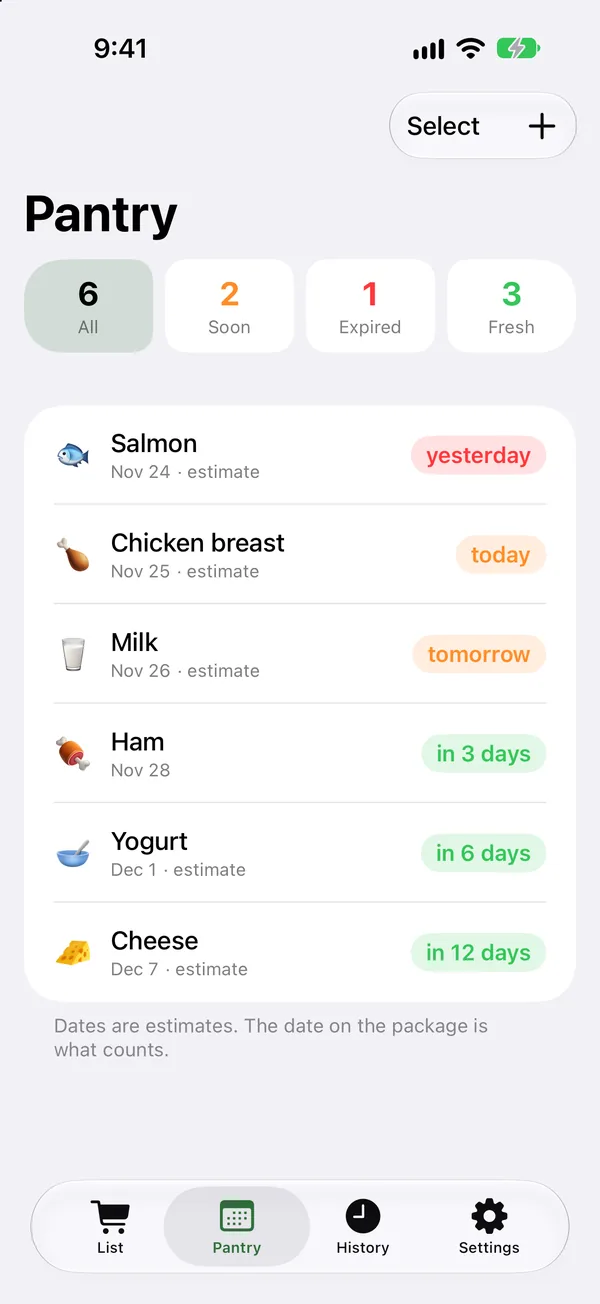
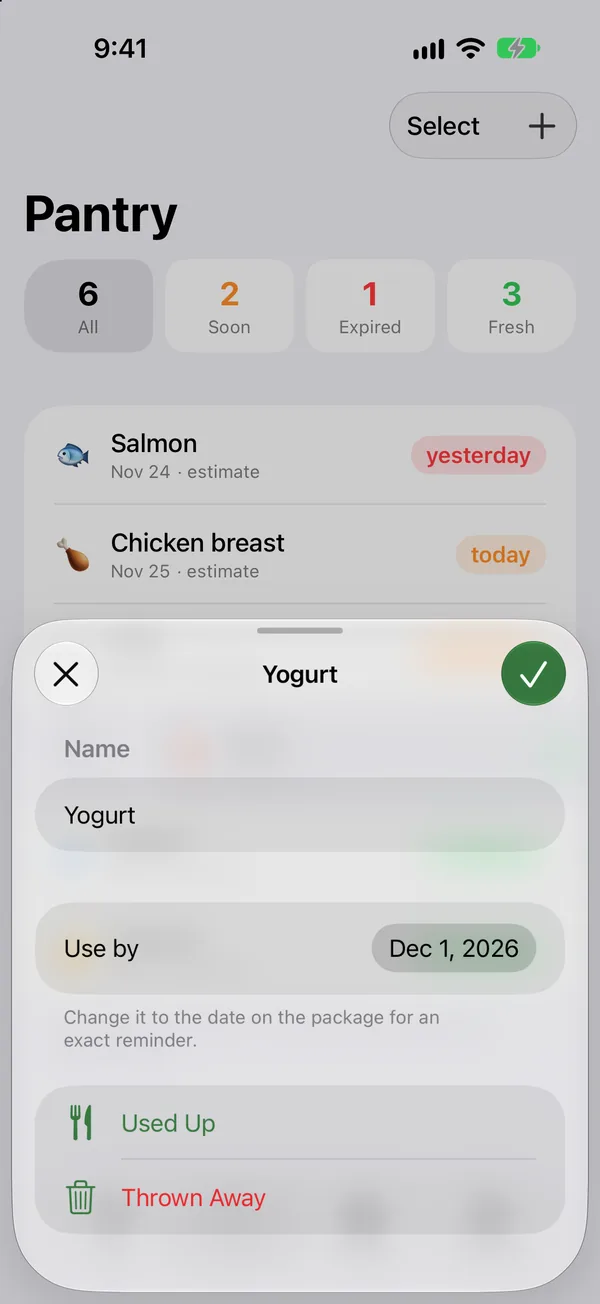
The yoghurt at the back of the fridge, the cheese you forgot about, the bread that went stale. Pantry in Shoppie helps you see what you have at home and what needs eating first – without typing everything in or keeping a spreadsheet.
What Pantry does
- Food shows up on its own when you finish a shopping trip or scan a receipt.
- Estimates a best-before date, which you can change to match the pack at any time.
- The All / Soon / Expired / Fresh tiles show what is due and also work as filters.
- Reminds you in the morning what to eat soon.
- If you want, it removes food past its date automatically – this is off by default.
How it works
- Tap the Pantry tab.
- Tap a food to open its details with the Use by date. Fix any date marked “estimate” to match the pack.
- When you finish something, swipe right → Used Up. If it has to go, swipe left → Thrown Away.
- In Settings → Notifications, turn on Use-by reminders.
For a step-by-step version with screenshots, see How to track food best-before dates on iPhone.
A morning reminder of what to eat
Shoppie sends one notification in the morning listing the food to eat first. In Remind me, choose On the day or 1, 2, 3 or 7 days before; in Time, pick an hour between 6:00 and 21:00. Your iPhone schedules the reminders itself – we don't send any push notifications from a server. More in How to set a morning reminder.
Auto-remove food past its date
Rather not clear out expired food by hand? In Settings → Pantry → Remove from Pantry, change Never to after 1, 2, 3 or 7 days, then use Count as to choose Used Up or Thrown Away. The setting applies to the whole household and works with estimated dates too. See How to turn on auto-remove.
One Pantry for the whole household
If you share a household through iCloud, every member sees the same Pantry. When your partner marks the milk as used up, you see it straight away. Everything stays on your iPhones and in your private iCloud.
Tips for wasting less food
- Check the estimated date against the pack after shopping – the date on the package is what counts.
- Set the reminder a day or two early so you have time to plan a meal.
- Glance at the Soon tile before you shop, so you don't buy what you already have.