
How to turn on auto-remove for food past its date
-
Step 1 Open Remove from Pantry
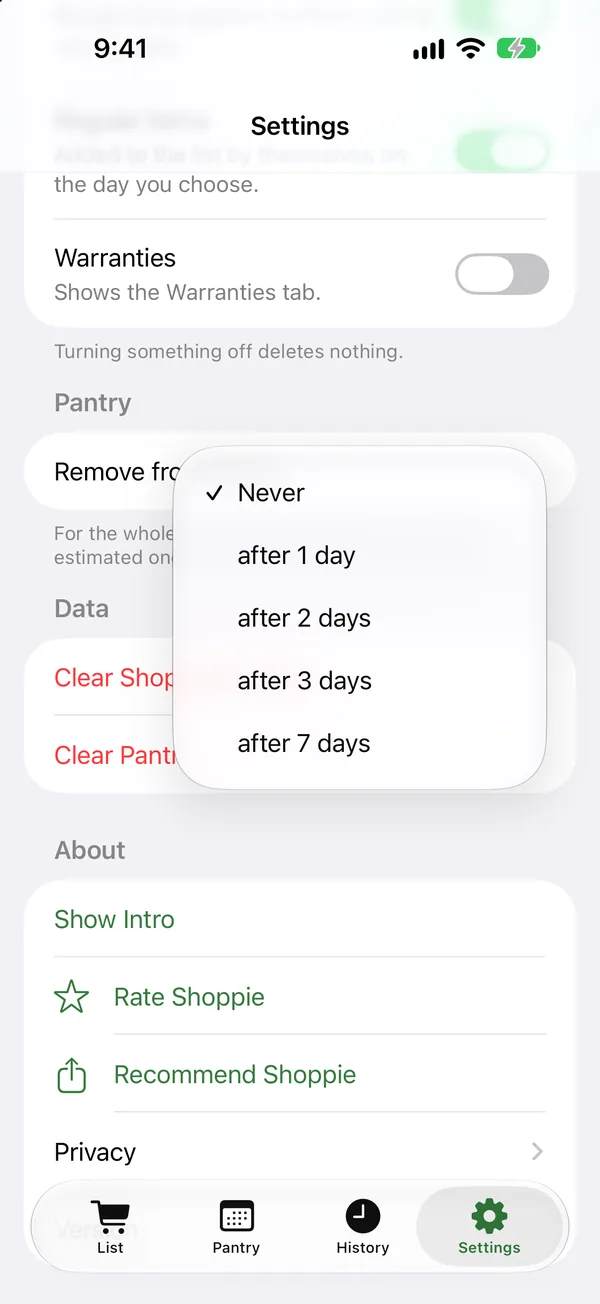
On the Settings tab, under Pantry, tap Remove from Pantry and change Never to a number of days (after 1, 2, 3 or 7 days).
-
Step 2 Choose how it counts
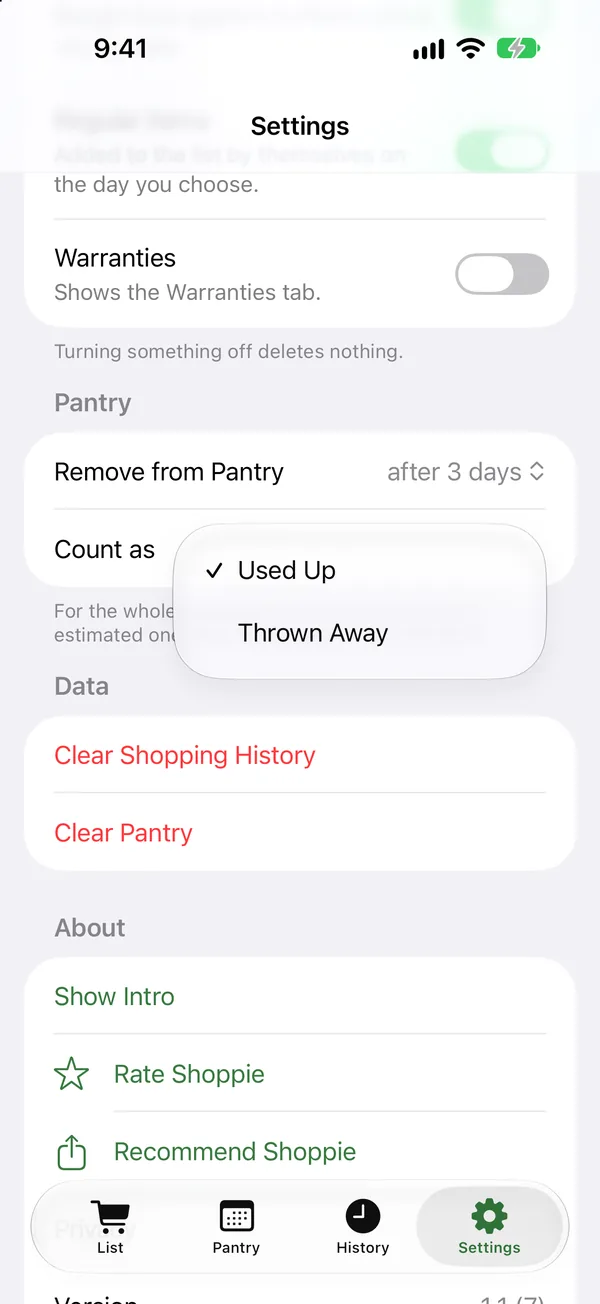
In Count as, choose Used Up or Thrown Away. This row appears once you’ve picked a number of days.
Frequently asked questions
Does the setting apply to my family too?
Yes. Auto-remove applies to the whole household, and it works with estimated dates too.
More questions are answered on the Support page.