
How to set up regular items
-
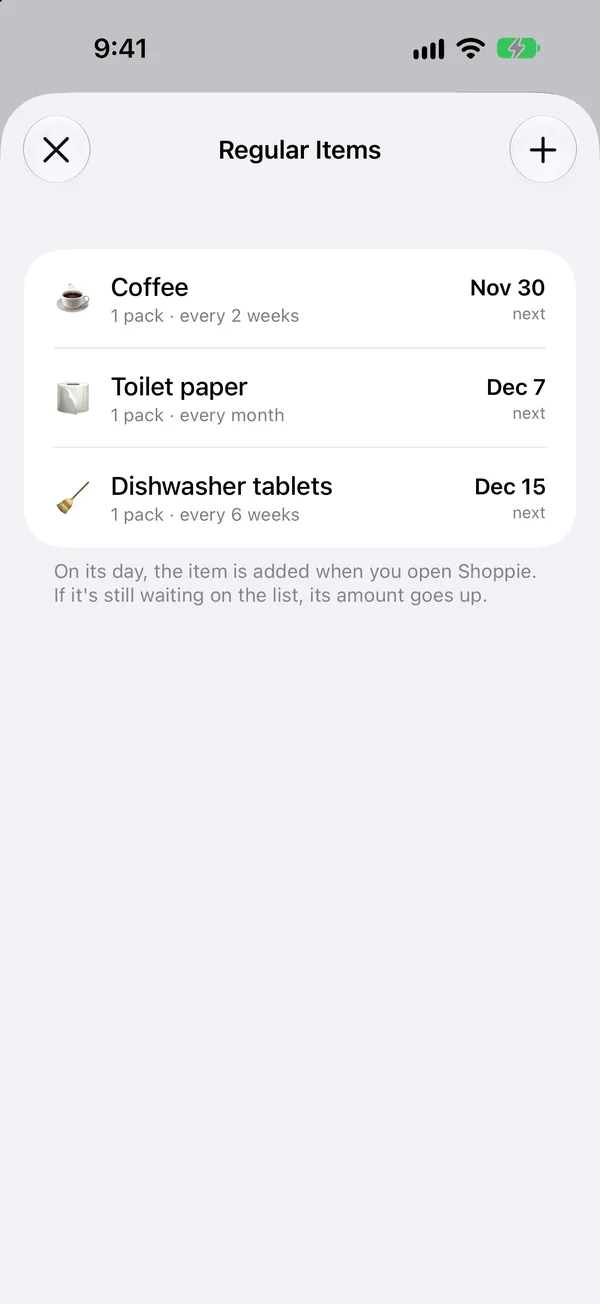
Step 1 Open Regular Items
On the List tab, tap ⋯ at the top right and choose Regular Items. Or touch and hold an item on your list and choose Add Regularly.
-
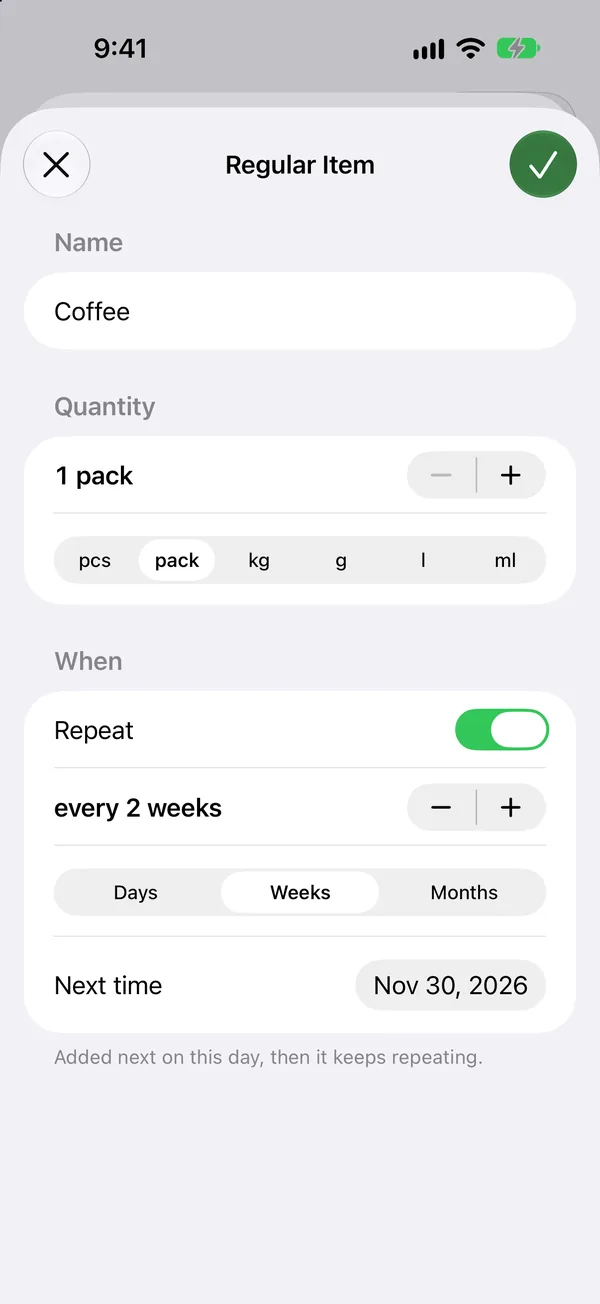
Step 2 Set how often
Tap + (Add Regular Item), enter the item, turn on Repeat and set, for example, every 2 weeks (Days / Weeks / Months). Next time shows when it will be added.
-
Step 3 Shoppie adds it for you
On the chosen day, the item appears on your list. Swipe right to pause it.
Frequently asked questions
Are regular items added for my family too?
Yes. Regular items are shared with your household, so they appear on everyone’s list.
Can I turn the feature off?
Yes, in Settings → Features → Regular Items.
More questions are answered on the Support page.