
A shopping list says more about your household than you might think: what you eat, where you shop, even when you celebrate. That’s why we built Shoppie to collect nothing about you. Open the app and start writing your list – no sign-up, no email, no password.
What Shoppie doesn’t do
- No sign-up, nothing to register.
- No analytics, no tracking, no ads.
- No third-party SDKs or services.
- No server – the app sends us no data at all, and we have no access to yours.
That’s why Shoppie is labelled Data Not Collected on the App Store.
Where your data lives
Your lists, shopping history, Pantry, regular items, warranties, receipt photos and settings are stored on your iPhone. They sync between your devices through your private iCloud (Apple CloudKit), which is covered by Apple’s privacy policy.
Shared households and privacy
If you invite someone to your household via iCloud, they can see and edit lists, shopping history, Pantry and regular items. Warranties, including their receipt photos, and your settings stay private. The owner can stop sharing or remove a member at any time, and a member can leave whenever they like.
Camera, receipts and reminders
The camera and your photo library are used for two things only: scanning receipts and adding a receipt photo to a warranty. The text is read right on your iPhone using Apple Vision, and nothing is sent to the internet. Best-before and warranty reminders are scheduled by your iPhone itself – we send no push notifications.
Why we built Shoppie this way
Data we don’t have can’t leak or be misused. We don’t need to know who you are for your shopping list to work. Shoppie is free and has no ads, so we have no reason to track you. Syncing between your devices and with your household is handled by iCloud, which your iPhone already has.
How to delete your data
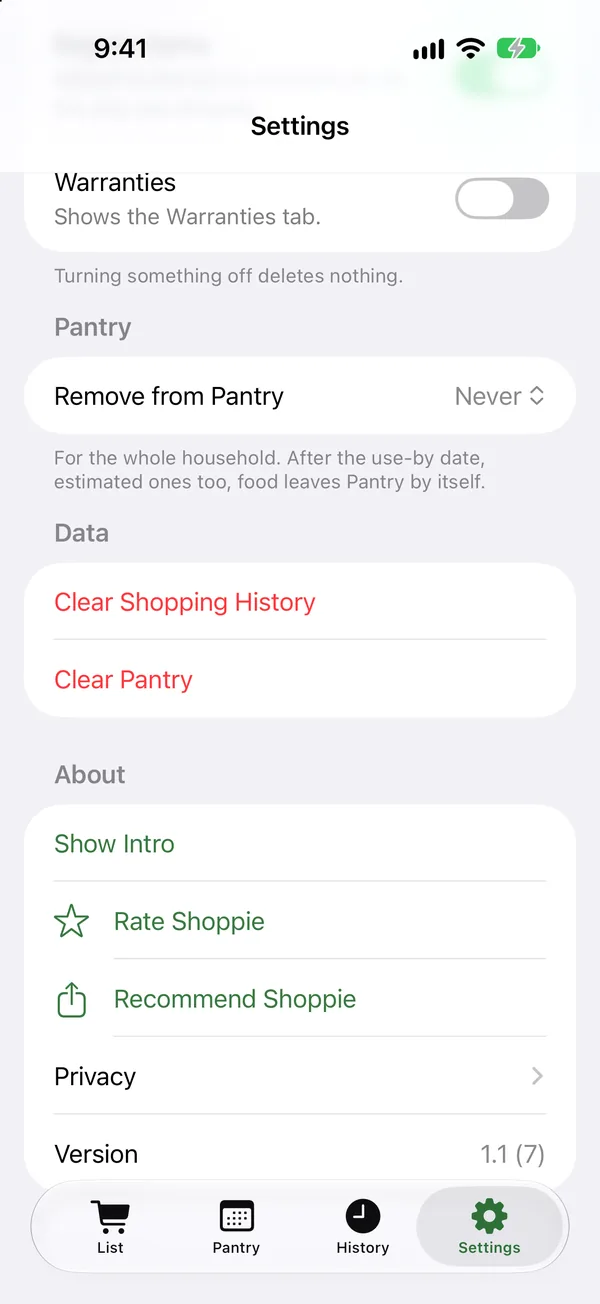
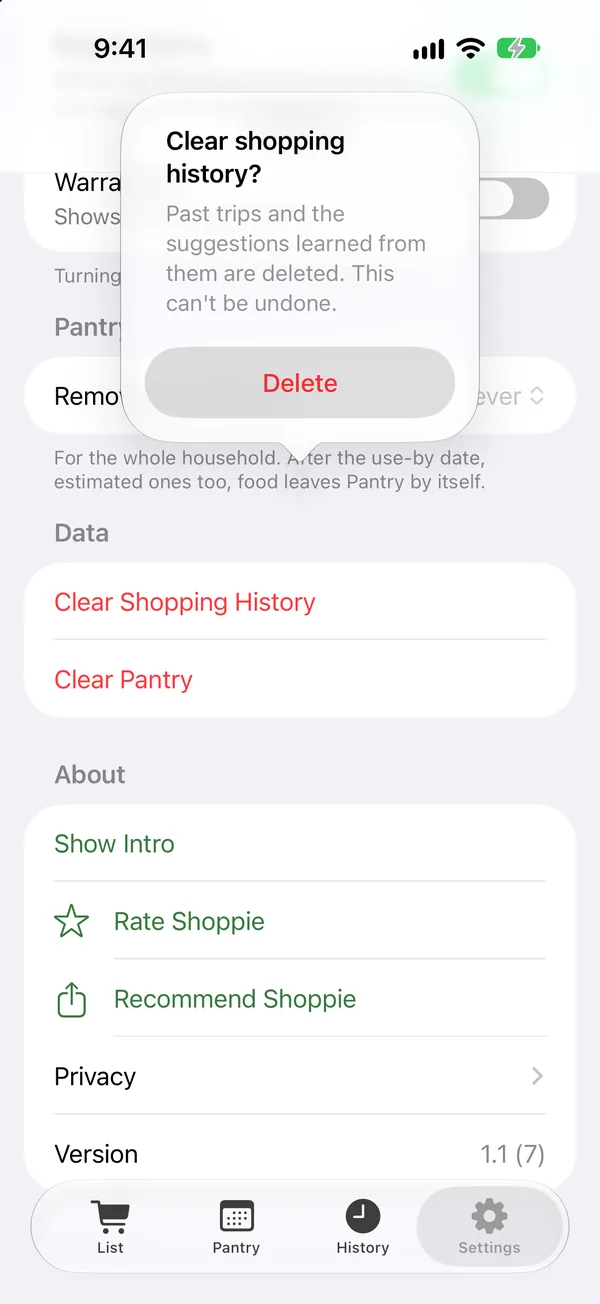
- On the Settings tab, under Data, tap Clear Shopping History or Clear Pantry.
- Confirm with Delete. This can’t be undone.
- Delete lists, regular items and warranties directly in the app.
- Remove the copy in iCloud in iPhone Settings → [your name] → iCloud → Manage Storage → Shoppie.
For a step-by-step version with screenshots, see How to delete your Shoppie data from the app and iCloud. The full policy is on our Privacy page.